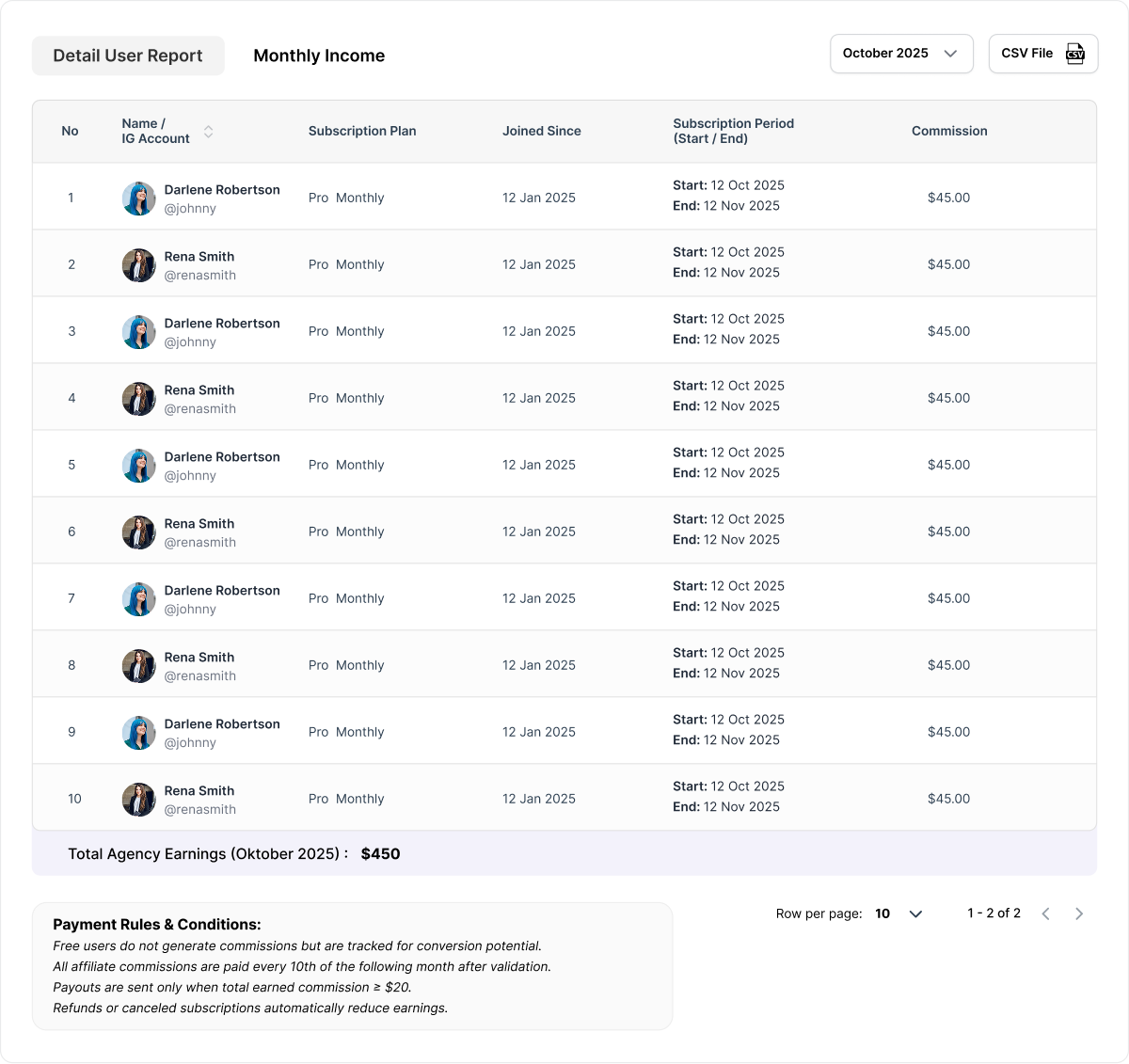
Name / IG Account Displays the user’s full name and Instagram handle (stacked vertically).
Subscription Plan Indicates the user’s active subscription plan (e.g., Monthly, Annual).
Joined Since The date when the user joined the agency.
Subscription Period (Start / End) Shows the start and end date of the user’s current subscription period.
Commission Commission earned from that specific user’s subscription.
Note: If there are more than 10 infulencers, pagination will appear at the bottom of the table for easier navigation. The Total Agency Earnings (monthly) will always be displayed below the table.
Total Agency Earnings (Monthly)
This section summarizes the total income generated by the agency for the selected month. It provides a transparent breakdown of the commission after applying all necessary deductions.
Payment Breakdown
Tax (11%) → Deducted according to local tax regulations.
Stripe Fee (2.9%) → Standard payment processing fee.
Service Charge (2%) → Platform service fee for maintaining the system.
Net Commission → Final payout amount after all deductions.
This breakdown gives the agency a clear understanding of their net payable income each month.
Monthly Income Tab
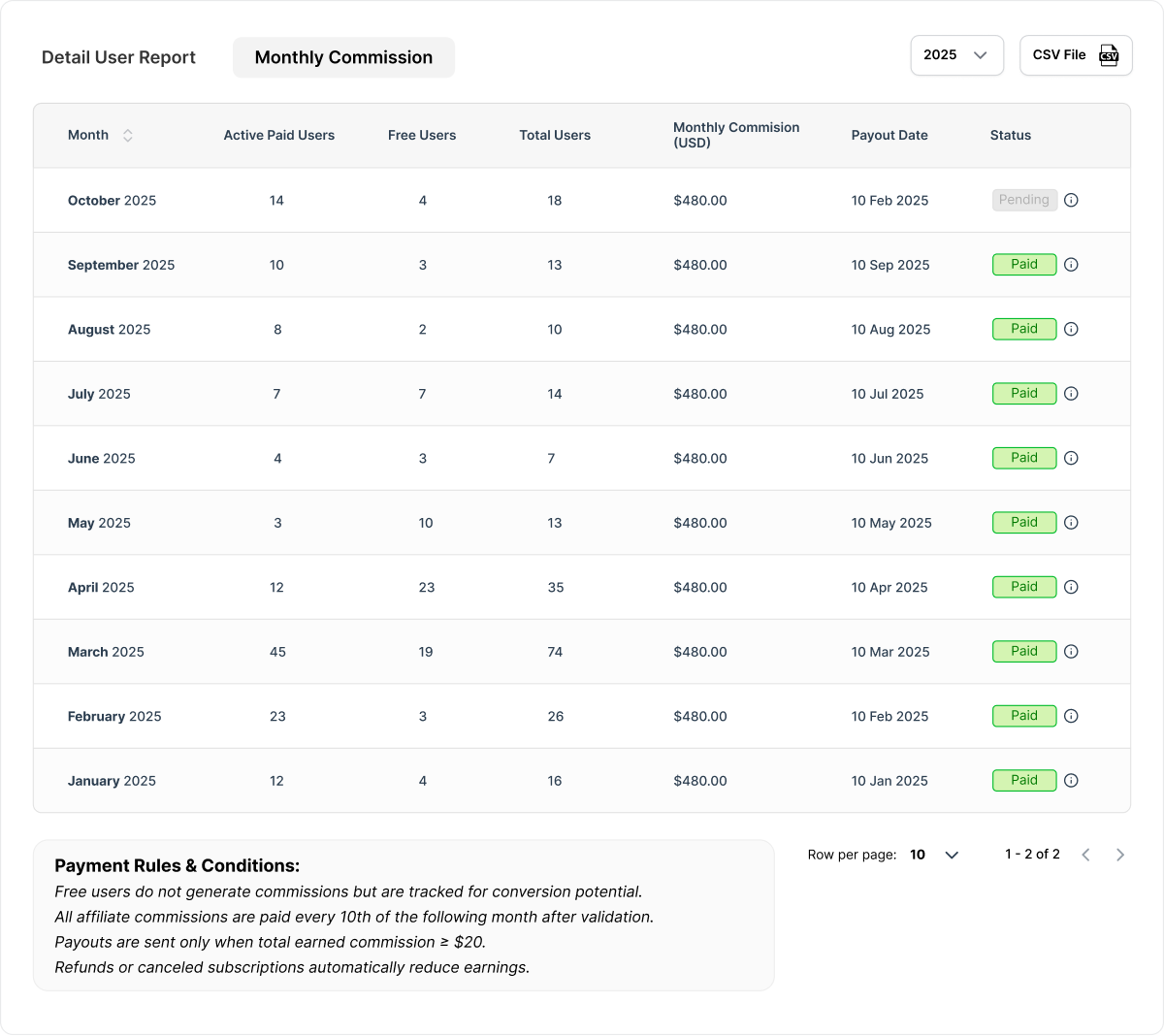
The Monthly Income tab provides an overview of earnings per month, including the number of active users, free users, total users, and payment status.
Active Paid Users Number of users with an active paid plan during that month.
Free Users Number of users on a free plan.
Total Users Combined total of free and paid users.
Monthly Commission (USD) Total gross commission generated for that month in USD.
Payout Date The date the commission is scheduled for payout.
Status Payment status: Pending (not yet paid) or Success (already paid).
This table gives agencies full visibility into their earnings history and payout schedule.
Payment Simulation & Schedule
To ensure transparency, below is the commission payment policy and simulation used by the system:
Payment Schedule
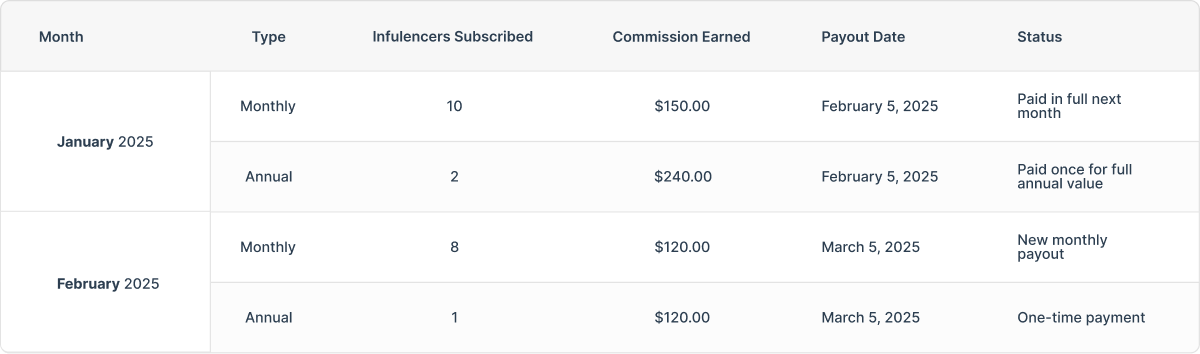
All agency commissions are paid out on the 5th of the following month.
For example, commissions earned in January (1–31) will be paid on February 5th.
Commission Calculation Rules
Monthly Subscriptions
All influencers who subscribe between 1st–30th/31st of a month contribute to that month’s commission total.
The full total is paid out on the 5th of the next month.
Annual Subscriptions
If an influencer subscribes to an annual plan, the entire commission from that annual payment is credited and paid in the following month (same schedule as monthly plans).
The agency will not receive additional monthly commissions for the remaining months of that annual plan.